
This post is part of the 'Let's use WebView in React Native like Native!' series (3): Implementing pull to refresh in WebView!
As introduced in the previous issue overview post, the WebView does not inherently provide a pull-to-refresh feature.

Solution
To enable pull to refresh, I tested and applied three methods.
1. Using the pullToRefreshEnabled option
This is the easiest method.
It's a feature natively provided by WebView.
<WebView
    pullToRefreshEnabled
    source={{ uri: `${URL}${path}` }}
  />
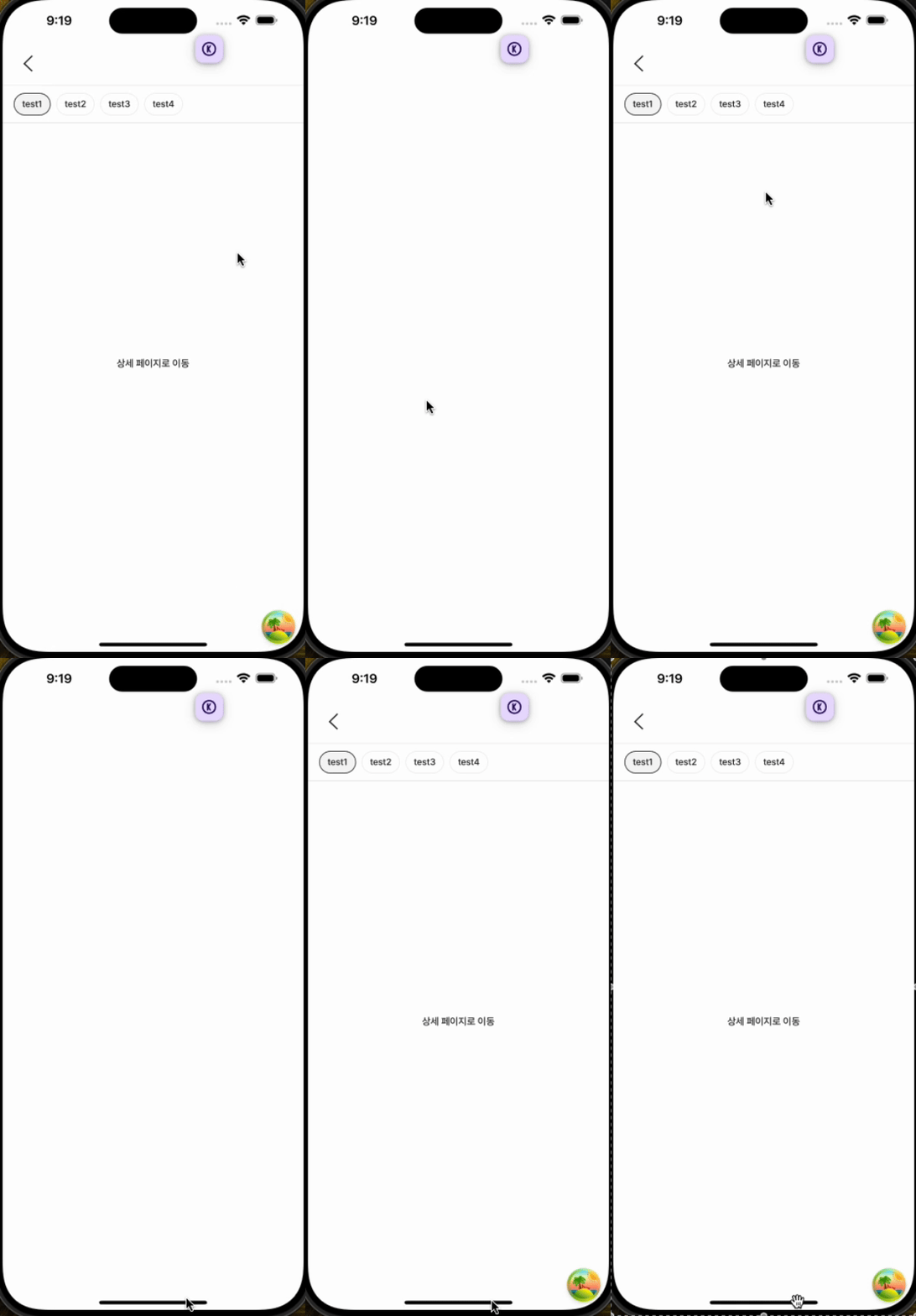
While the pull-to-refresh event itself works, it triggers an event that reloads the entire WebView.
If you pull to refresh the WebView screen in the Toss app, it behaves as shown above.
However, this differs from how pull to refresh typically operates in native apps. In native apps, the refresh event is controlled via the pull event.
- Communicating with the pull to refresh event in the React Native app
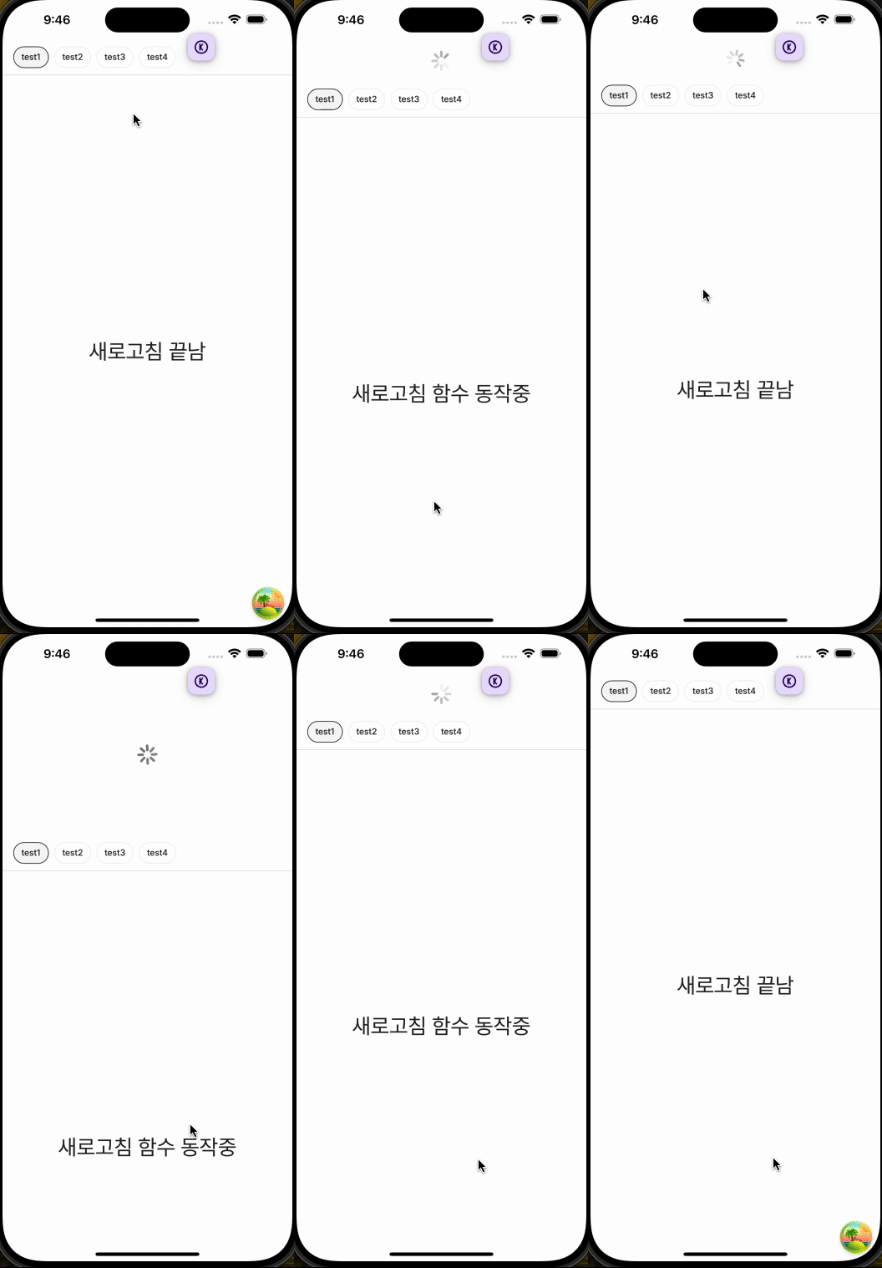
This method involves structuring the WebView within a ScrollView to trigger scroll events, which then send a refresh event. The video above shows the refresh function operating for 2 seconds.
The code is as follows.
- Common Event Schema
const webViewEventSchema = z.object({
  type: z.enum(WEBVIEW_EVENT_LIST),
  data: z.any().optional(),
});
- React Native
...

const webViewEventHandler = (e: WebViewMessageEvent) => {
    try {
      const webViewEvent = webViewEventSchema.safeParse(JSON.parse(e.nativeEvent.data));

      if (webViewEvent.error) {
        throw new Error('Undefined event');
      }
      if (webViewEvent.data.type === 'ON_FINISHED_REFRESH') {
        setIsRefreshing(false)
        return;
      }

      return;
    } catch (err) {
      // error handling
      return;
    }
  }

 return (
   	<ScrollView
        refreshControl={
          <RefreshControl
            refreshing={isRefreshing}
            onRefresh={() => {
              webviewRef.current?.postMessage(
                JSON.stringify({
                  type: WEBVIEW_EVENT_TYPE.ON_REFRESH,
                }),
              );
              setIsRefreshing(true);
            }}
          />
        }
        showsVerticalScrollIndicator={false}
        contentContainerStyle={{ flex: 1 }}
      >
        <WebView
          ref={webviewRef}
          source={{ uri: `${url}${path}` }}

          onMessage={webViewEventHandler}
        />
      </ScrollView>
 )
- web
React.useEffect(() => {
    if (window.ReactNativeWebView == null) {
      return;
    }

    const handleRefresh = (e: Event) => {
      if (e instanceof MessageEvent) {
        const event = webViewEventSchema.safeParse(JSON.parse(e.data));

        try {
          if (event.error) {
            throw new Error('Undefined event type');
          }

          if (event.data.type !== 'ON_REFRESH') {
            return;
          }

          if (!onRefresh) {
            window.ReactNativeWebView?.postMessage(
              JSON.stringify({
                type: WEBVIEW_EVENT_TYPE.ON_FINISHED_REFRESH,
              }),
            );
            return;
          }

          return onRefresh().then(() => {
            window.ReactNativeWebView?.postMessage(
              JSON.stringify({
                type: WEBVIEW_EVENT_TYPE.ON_FINISHED_REFRESH,
              }),
            );
          });
        } catch (err) {
          acError(`WebView refresh communication failed ${err}`, err);
          return;
        }
      }
    };

    document.addEventListener('message', handleRefresh);
    window.addEventListener('message', handleRefresh);

    return () => {
      document.removeEventListener('message', handleRefresh);
      window.removeEventListener('message', handleRefresh);
    };
  }, [onRefresh]);
The flow is as follows.
ScrollViewRefreshEventoccurs- Send refresh event
postMessageto Web - Web receives the message, validates the event with the
zodschema, then receives theON_REFRESHevent - When the refresh event occurs, execute the defined refresh event and send the
ON_FINISHED_REFRESHevent to the App - App receives the
ON_FINISHED_REFRESHevent after validating it with thezodschema - Terminate refresh UI
It now looks even more like a native app.
However, this method also has a slight issue.
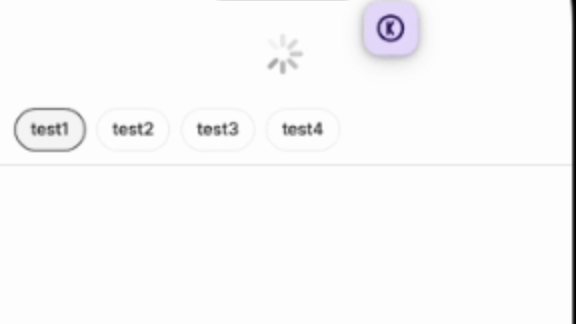
Typically, the UX involves the list section below the filter refreshing, but with this approach, the filter and header are also pulled down.
- Implement pull to refresh directly in the web.
In my opinion, this method provides the most app-like WebView experience. It also has the advantage of displaying a consistent UI across both Android and iOS.
The implementation method is as follows.
- Create a scroll container with a loading component and scrollable content area inside, then transform the container by the height of the loading UI.
const REFRESH_SCROLL_POSITION = 64;

  ...

  const contentContainerRef = React.useRef<HTMLDivElement>(null);

   return (
    <Stack
      flex={1}
      sx={{ overflowY: 'scroll' }}
    >
      <Stack ref={contentContainerRef} sx={{ transform: `translateY(-${REFRESH_SCROLL_POSITION}px)` }} pt={2} gap={1}>
        <Stack width={'100%'} height={REFRESH_SCROLL_POSITION} justifyContent={'center'} alignItems={'center'}>
          <LoadingComponent/>
        </Stack>
        <Stack flex={1}>{/* Scrollable content */}</Stack>
      </Stack>
    </Stack>
   )
- Get the y-position value when the screen is first touched.
const contentContainerRef = React.useRef<HTMLDivElement>(null);

  function handleTouchStart(event: React.TouchEvent<HTMLDivElement>) {
    touchYPositionRef.current = event.touches.item(0).clientY;
  }
- As you move while touching, calculate the pull distance as the difference between the current y-value and the initial touch y-value.
function handleTouchMove(event: React.TouchEvent<HTMLDivElement>) {
    const moveY = event.touches.item(0).clientY;
    const pullDistance = moveY - touchYPositionRef.current; // pull distance
  }
- Check if the pull distance is greater than a specific value and if the
scrollTopof the scrolling container is less than or equal to 0. If the conditions are met, change the refresh request flag totrueand reset the container's position to make the loading UI visible.
const contentContainerRef = React.useRef<HTMLDivElement>(null);
  const refreshingRef = React.useRef(false);
  const touchYPositionRef = React.useRef(0);

  function handleTouchMove(event: React.TouchEvent<HTMLDivElement>) {
    if (!contentContainerRef.current) {
      return;
    }

    const moveY = event.touches.item(0).clientY;
    const pullDistance = moveY - touchYPositionRef.current;

    if (pullDistance > 120 && event.currentTarget.scrollTop <= 0) {
      contentContainerRef.current.style.transform = 'translate(0, 0px)';
      contentContainerRef.current.style.transition = '0.3s';

      refreshingRef.current = true;
    }
  }
- When the touch ends, if the refresh event flag is
true, execute the refresh event. Once the event is complete, transform the loading UI back to its hidden state.
function handleTouchEnd() {
    if (refreshingRef.current) {
      return onRefresh().finally(() => {
        if (contentContainerRef.current) {
          contentContainerRef.current.style.transform = `translate(0,-${REFRESH_SCROLL_POSITION}px)`;
          contentContainerRef.current.style.transition = '0.3s';
          refreshingRef.current = false;
        }
      });
    }
  }
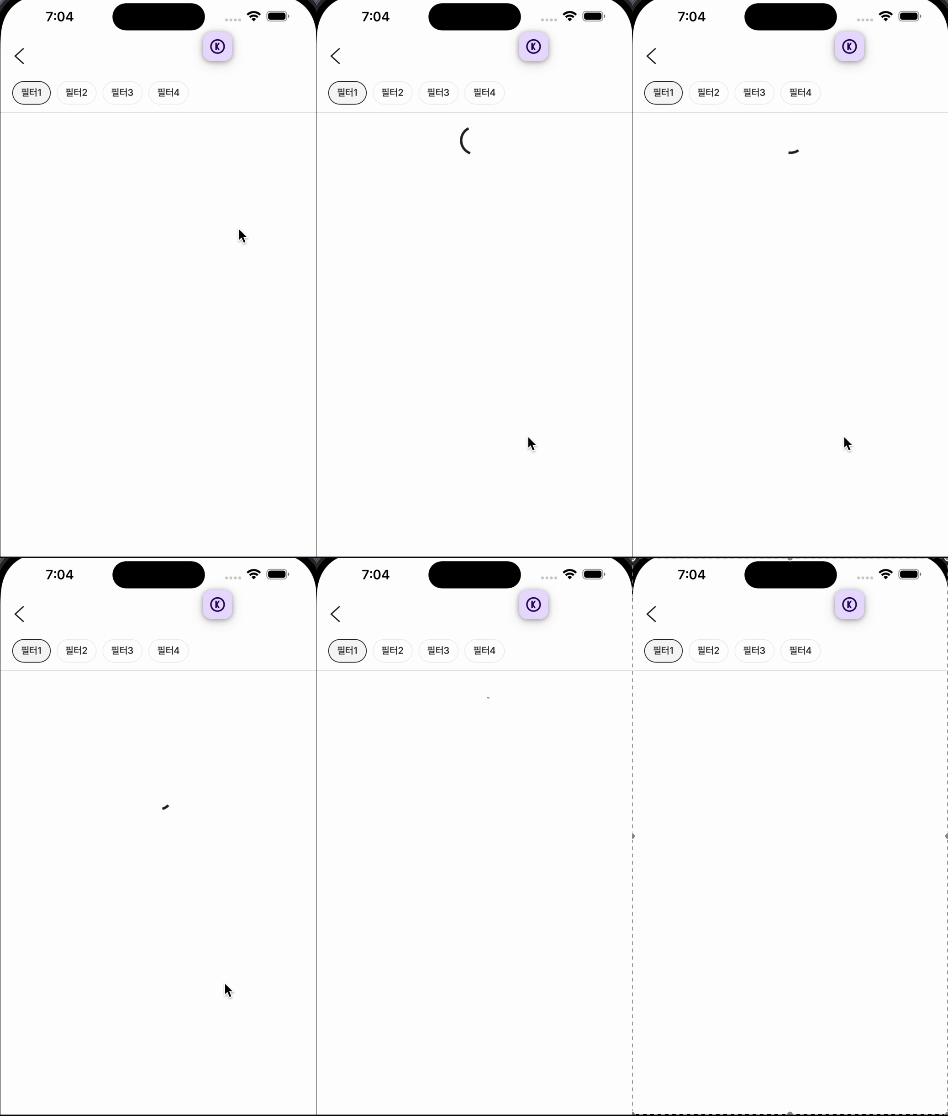
Now, just by looking at this screen, it's hard to tell if it's a native app or a WebView, right? Haha.
The complete code is as follows.
To use it commonly, I structured it as a separate PTRContainer component.
- PTRContainer
const REFRESH_SCROLL_POSITION = 64;

/**
 * Pull to refresh control container
 **/
export function PTRContainer({ children, onRefresh }: { children: React.ReactNode; onRefresh: () => Promise<any> }) {
  const contentContainerRef = React.useRef<HTMLDivElement>(null);
  const refreshingRef = React.useRef(false);
  const touchYPositionRef = React.useRef(0);

  function handleTouchStart(event: React.TouchEvent<HTMLDivElement>) {
    touchYPositionRef.current = event.touches.item(0).clientY;
  }

  function handleTouchMove(event: React.TouchEvent<HTMLDivElement>) {
    if (!contentContainerRef.current) {
      return;
    }

    const moveY = event.touches.item(0).clientY;
    const pullDistance = moveY - touchYPositionRef.current;

    if (pullDistance > 120 && event.currentTarget.scrollTop < 0) {
      contentContainerRef.current.style.transform = 'translate(0, 0px)';
      contentContainerRef.current.style.transition = '0.3s';

      refreshingRef.current = true; // refresh true
    }
  }

  function handleTouchEnd() {
    if (refreshingRef.current) {
      return onRefresh().finally(() => {
        if (contentContainerRef.current) {
          contentContainerRef.current.style.transform = `translate(0,-${REFRESH_SCROLL_POSITION}px)`;
          contentContainerRef.current.style.transition = '0.3s';
          refreshingRef.current = false;
        }
      });
    }
  }

  return (
    <Stack
      flex={1}
      sx={{
        overflowY: 'scroll',
        '&::-webkit-scrollbar': {
          display: 'none',
        },
        '-ms-overflow-style': 'none',
      }}
      onTouchStart={handleTouchStart}
      onTouchMove={handleTouchMove}
      onTouchEnd={handleTouchEnd}
    >
      <Stack ref={contentContainerRef} sx={{ transform: `translateY(-${REFRESH_SCROLL_POSITION}px)` }} pt={2} gap={1}>
        <Stack width={'100%'} height={REFRESH_SCROLL_POSITION} justifyContent={'center'} alignItems={'center'}>
          <LoadingComponent/>
        </Stack>
        <Stack flex={1}>{children}</Stack>
      </Stack>
    </Stack>
  );
}
Conclusion
It seems like the WebView is becoming even more app-like. Thank you for reading!